

Do ANY Assessment
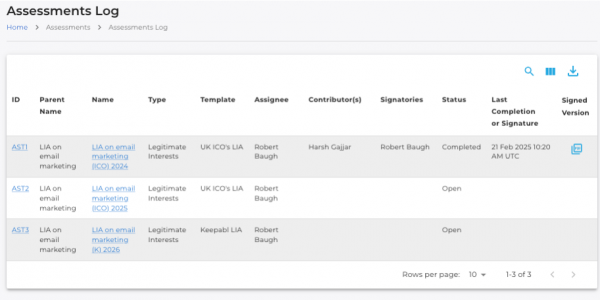
Keepabl makes managing and carrying out assessments a whole lot easier! Select one of our excellent Templates or build-your-own with Template Builder. Link to Activities in your RoPA and we’ll pre-populate the relevant information in your Assessment.
Manage each Assessment with Contributors and Signatories. All signed Assessment PDFs go into the File Library, are attached to those Activities, and available across the Keepabl solution.
Easily Manage Assessments
With Keepabl, you choose which Templates go live and are available to your Users, and you can turn them on and off easily.
Easily switch them out as you iterate your Templates. Importantly, deselecting a Template that’s already in use stops new Assessments on that Template but does not affect Assessments already in progress on that Template.
Build ANY Assessment
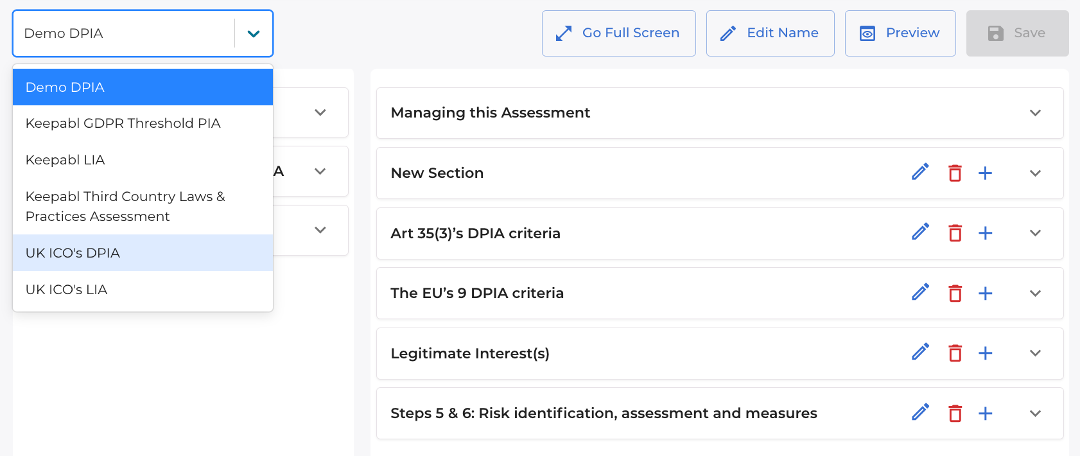
Our intuitive, drag-and-drop Template Builder allows you to create any Assessment you want. Pick from any section or question from any existing Template (ours or yours), or from our powerful selection of blank, model questions to build your Templates exactly as you want.
Easily edit and move each question and answer, and Go Full Screen for easier editing. Iterate your own Template super simply and, when it’s ready, it’s easy to make it live for your Users.
Customisable Risk Engine
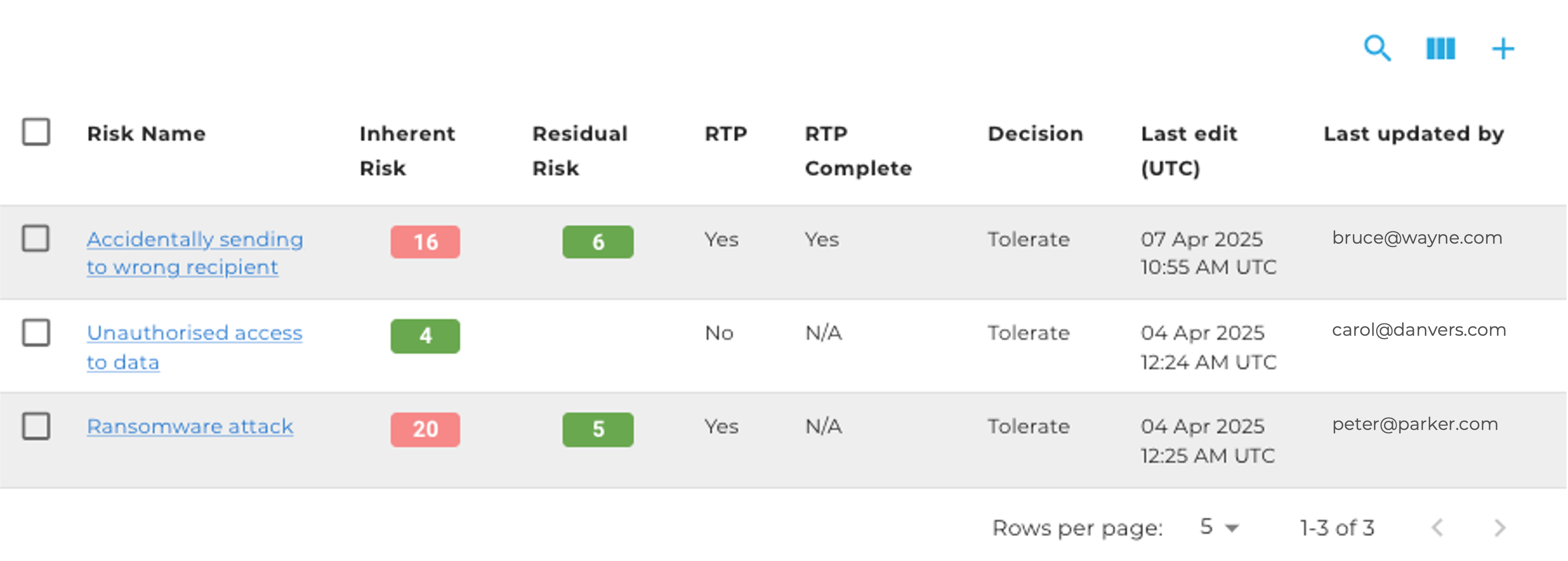
Drop our awesome Risk Engine into any Assessment and know that your treatment of Risk follows your organisation’s risk methodology.
Risk is always Likelihood x Impact on a 1 to 5 basis. Edit axis labels, risk categories, and risk decisions to meet your terminology and customise your Risk Heat Map to reflect your risk appetite.

KEEPABL is the trade mark of Keepabl Ltd | Company #: 11043685 | Registered office 86-90 Paul Street, London EC2A 4NE | VAT #: 281 5220 22
Keepabl is a regulatory compliance service provided for information only, not legal advice. Always consult your lawyer on legal matters.
Web Design & Development by MazeSpace Studios Ltd